Hello Eden Keeper 🌳💚
While we enthusiastically follow the progress of our Kickstarter campaign, development on the Dot continues at full speed. When we talk about our smart cap, we’re not just referring to the physical object and its features, but also to how it interacts with you.
We’ve spent a long time imagining what the perfect software for a smart terrarium should be — and we’re truly proud of the result. Below, we’ll walk you through the current state of Dot OS development and some of the features we plan to introduce in the coming months.
Home page
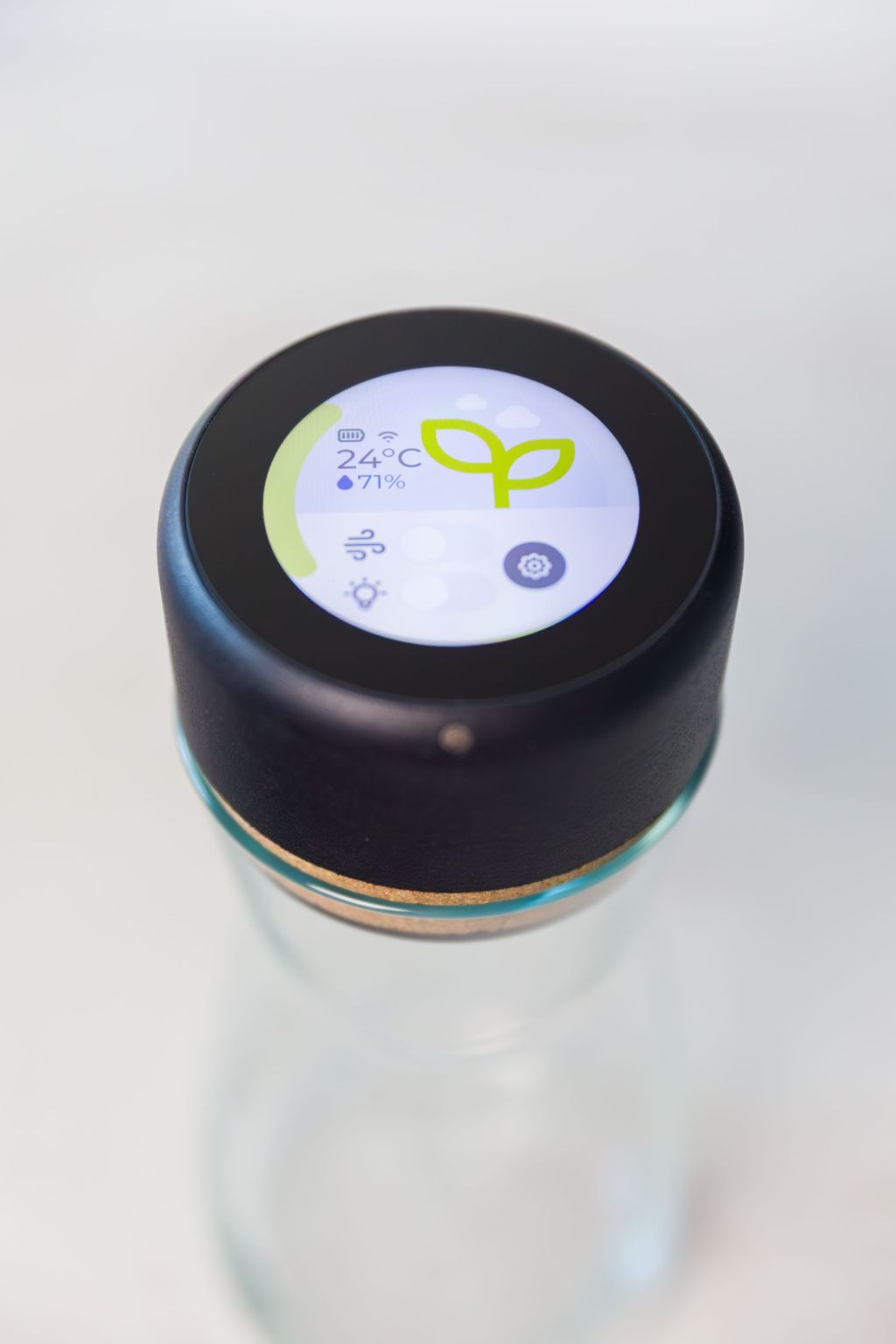
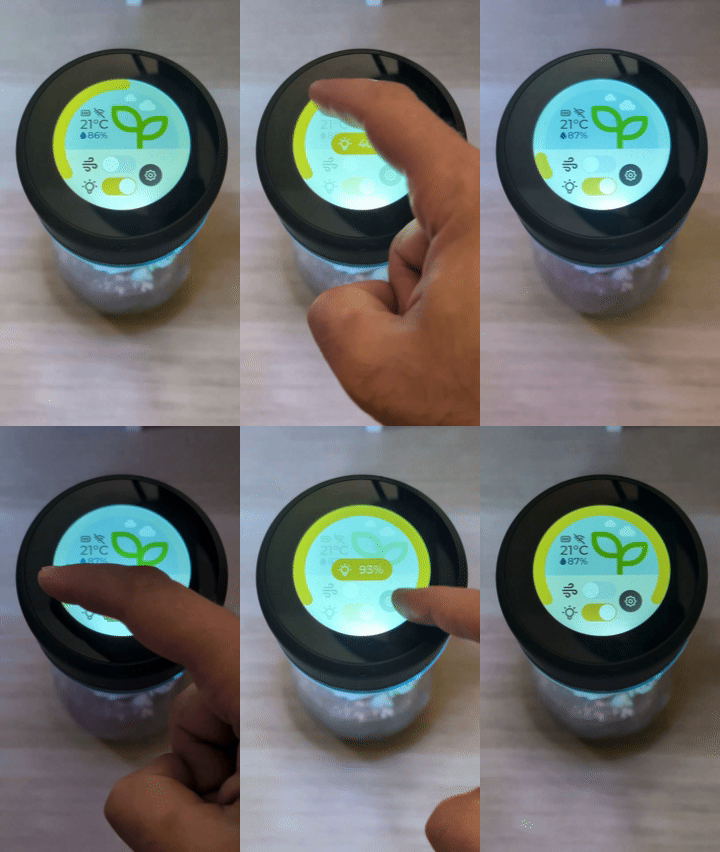
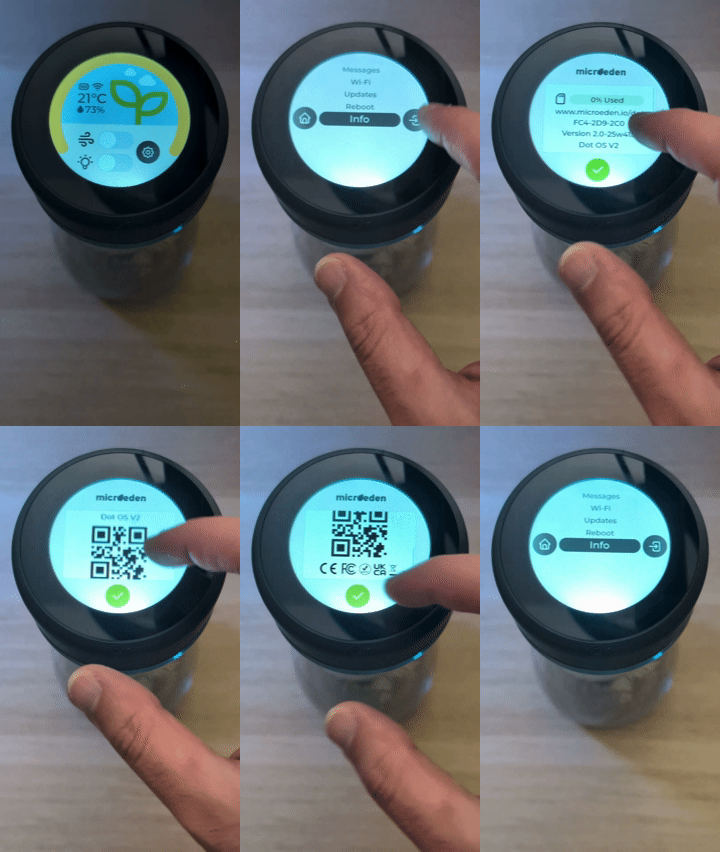
After numerous prototypes and iterations, the home page has finally found a balance between design and functionality. The colors are soft and harmonious, inspired by the materials that make up the Dot, creating a natural and cohesive interface.
The layout is designed for intuitive navigation: at the top of the screen you can view the overall status of your terrarium, while the lower section houses the main controls and interactive elements. The brightness slider follows the curvature of the display, maintaining a smooth and elegant look.
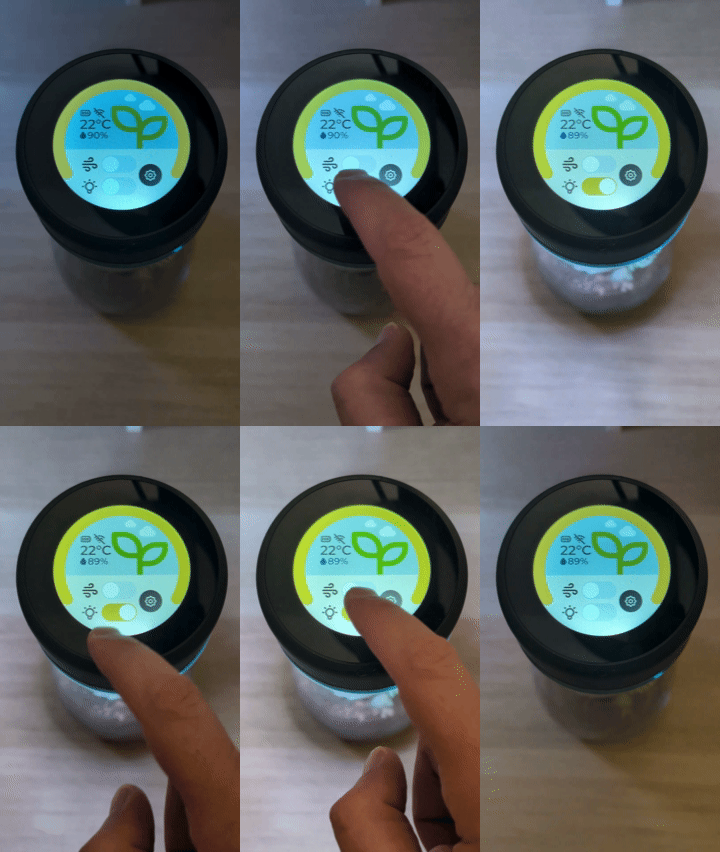
In manual mode, dedicated switches allow you to turn the fan and lights on or off, each accompanied by clear, intuitive icons. On the right side of the controls, you’ll find the button to access the settings menu.

Lighting
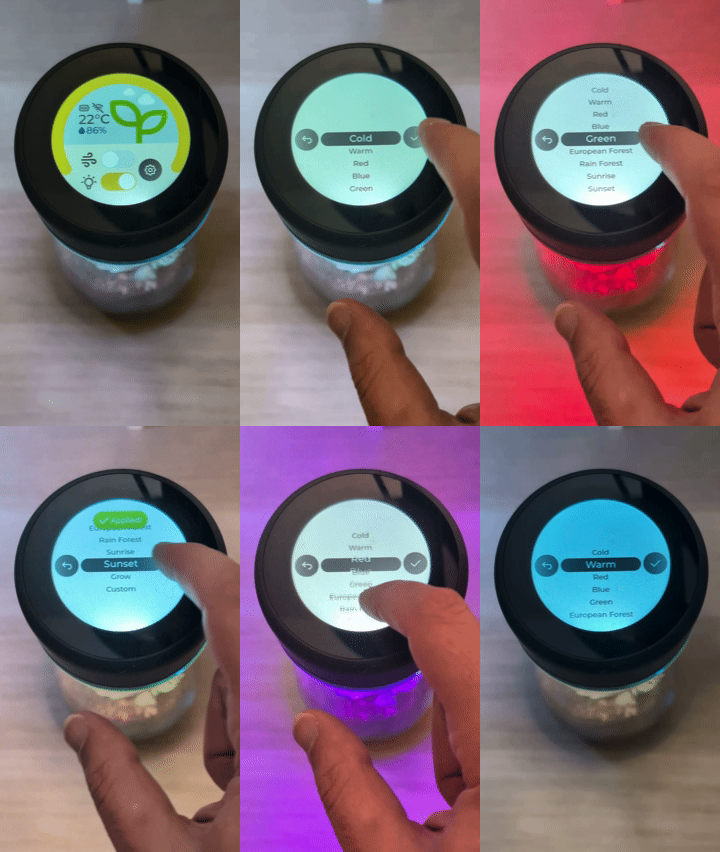
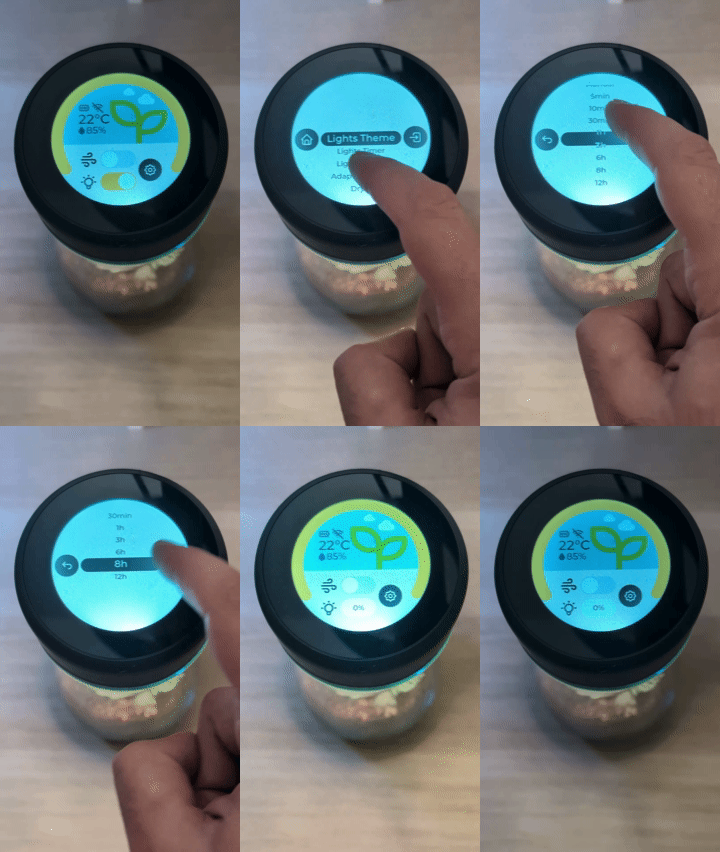
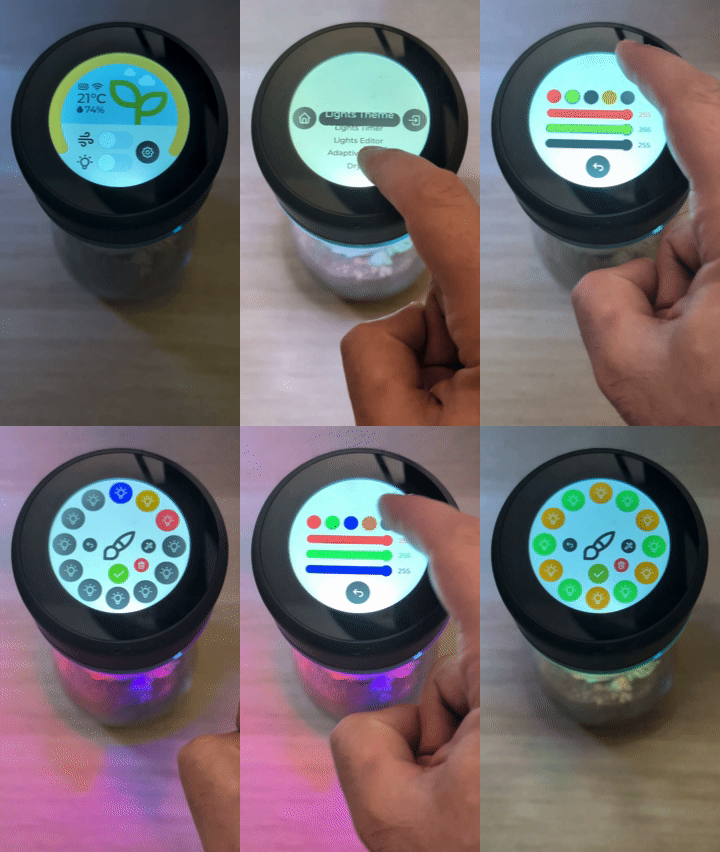
The Dot’s lighting themes let you create unique atmospheres inside your terrarium. Some lighting profiles are designed to support plant health, while others serve purely aesthetic purposes.
An integrated editor allows you to customize each individual LED directly from the display, giving you complete creative freedom. In addition, light timers make it easy to precisely manage the photoperiod best suited to your plant.
Dehumidification
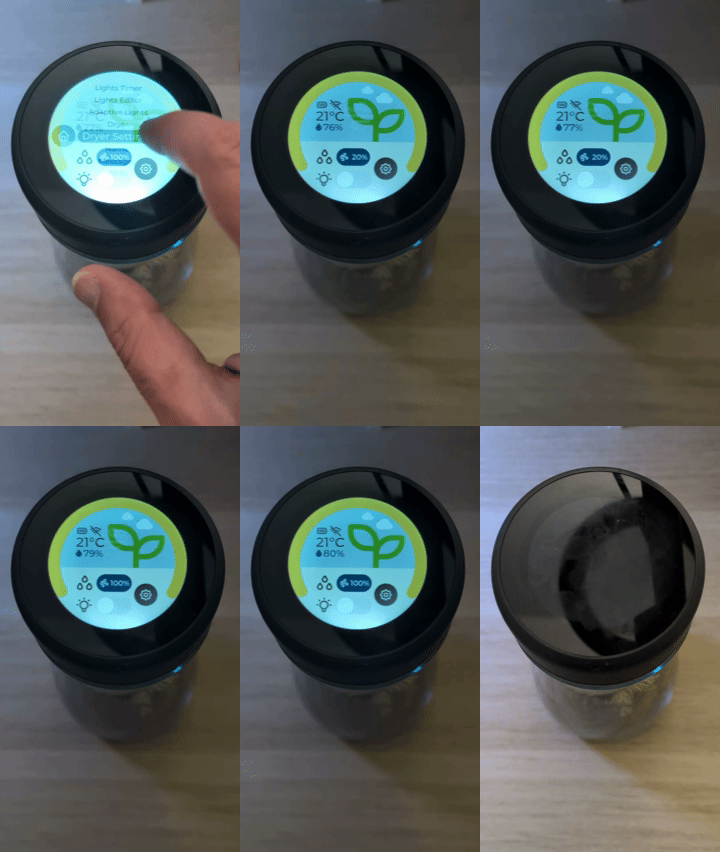
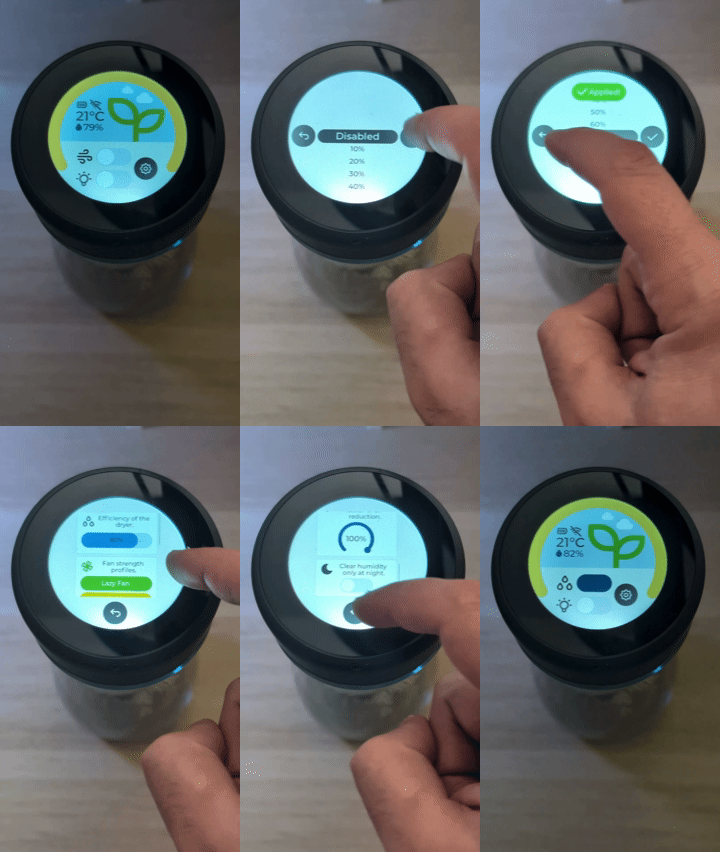
We’ve paid special attention to humidity management. The Dot can automatically regulate the terrarium’s dehumidification thanks to an intelligent compensation algorithm that activates when condensation levels exceed the optimal threshold set by the user.
This system is fully customizable: you can adjust both the air exchange intensity and the fan’s aggressiveness profile. An efficiency indicator shows how effectively the Dot is reducing humidity, helping it decide autonomously when to act and when to hold off.

Wi-Fi Connectivity
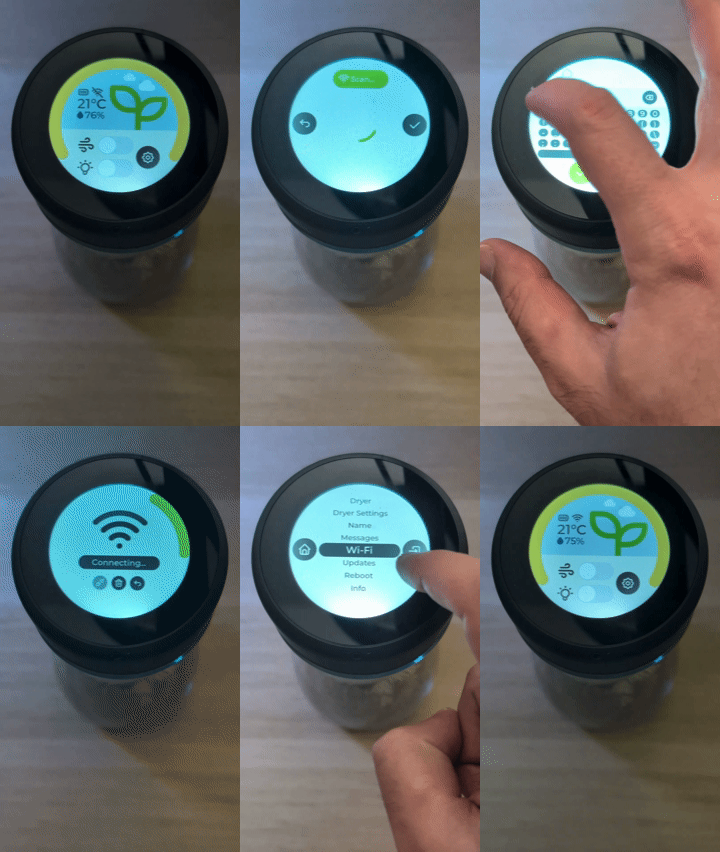
Although the Dot is designed to function independently, without external apps, it can be connected to your home Wi-Fi network for remote management. Connecting the Dot to the Internet also enables free software updates and, in the future, push messaging — allowing you to receive personalized tips for your plant and informational notifications directly on your device.
Software Updates
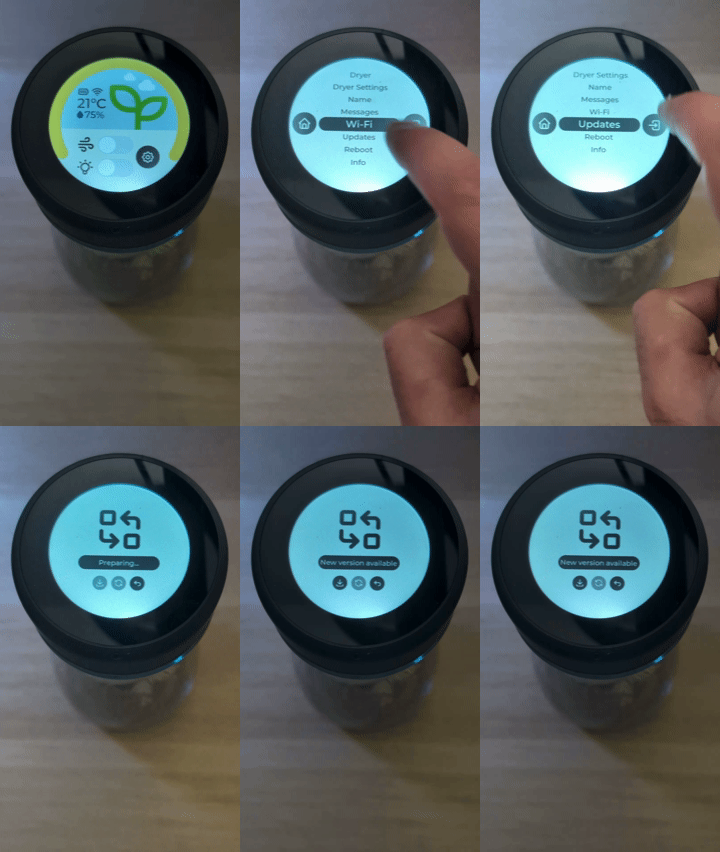
Our goal is to keep your Dot always up to date for as long as the hardware allows. Updates will deliver new features, enhanced security, and ongoing improvements — without the need to replace your device.
Messages
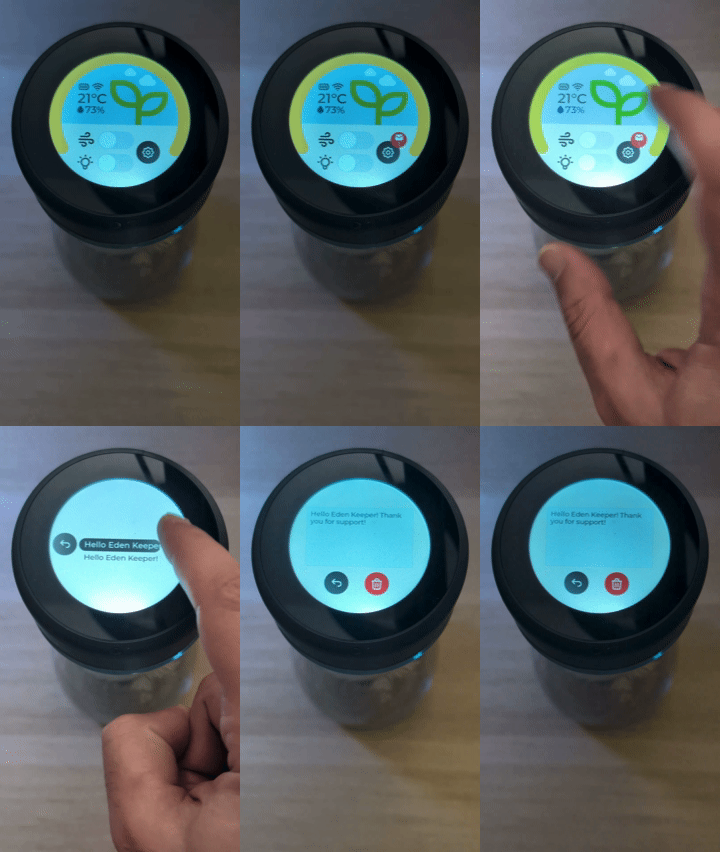
The Messages section will allow you to receive communications, updates, and exclusive content from Microeden and the community. This feature will become available once our Cloud infrastructure is fully operational.
Versioning
The Dot OS versioning system allows you to easily identify which version of the software is installed on your device. Each release follows the format X-XwXa, where:
- 2.0 represents the main version (major release)
- 25 indicates the release year
- w stands for “week”
- 41 is the week number
- a represents the revision (b, c, d… for subsequent updates)
For example, the current development version is 2.0-25w41a. You can check your installed version under Settings → Info, and use the Updates function to verify if a newer version is available.
Looking Ahead
Our work on the Dot doesn’t stop here. We’re already developing new functions and enhancements to make the experience even more natural and engaging. The Dot is designed to evolve over time — just like your plant.